
Table of Contents
Managing customer relationships without a structured system is like navigating a ship in the dark—you are bound to run into friction, missed opportunities, and lost revenue. Zoho CRM stands as one of the most versatile, scalable, and power-packed Customer Relationship Management (CRM) platforms available today.
Trusted by over 250,000 businesses across 180 countries, it bridges the gap between sales, marketing, and customer support.
Whether you are a startup taking your first steps toward automated pipeline management or an established enterprise seeking to migrate from fragmented legacy systems, this comprehensive TheBestClicks Tool Guide is for you.
This guide will walk you through everything you need to know about Zoho CRM: core features, step-by-step account configuration, data migration, sales workflow customization, pricing breakdowns, and real-world performance metrics.
Explore The Tool Category: Lead Management Tools
What is Zoho CRM? Core Architecture & Business Benefits
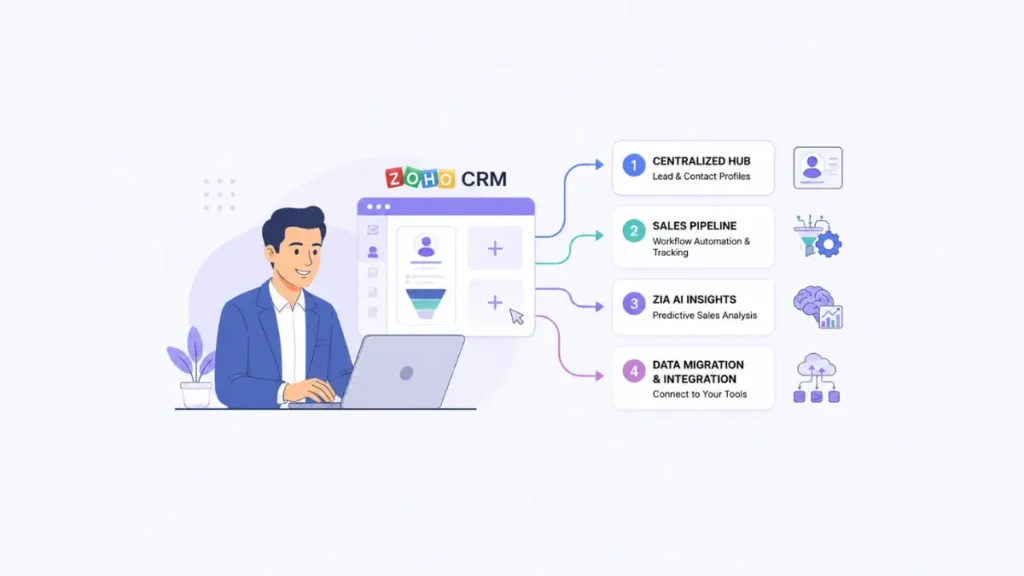
At its core, Zoho CRM is an end-to-end, cloud-based customer relationship management platform designed to track leads, manage pipelines, automate repetitive operations, and close deals faster. It serves as a centralized single source of truth for all customer touchpoints.
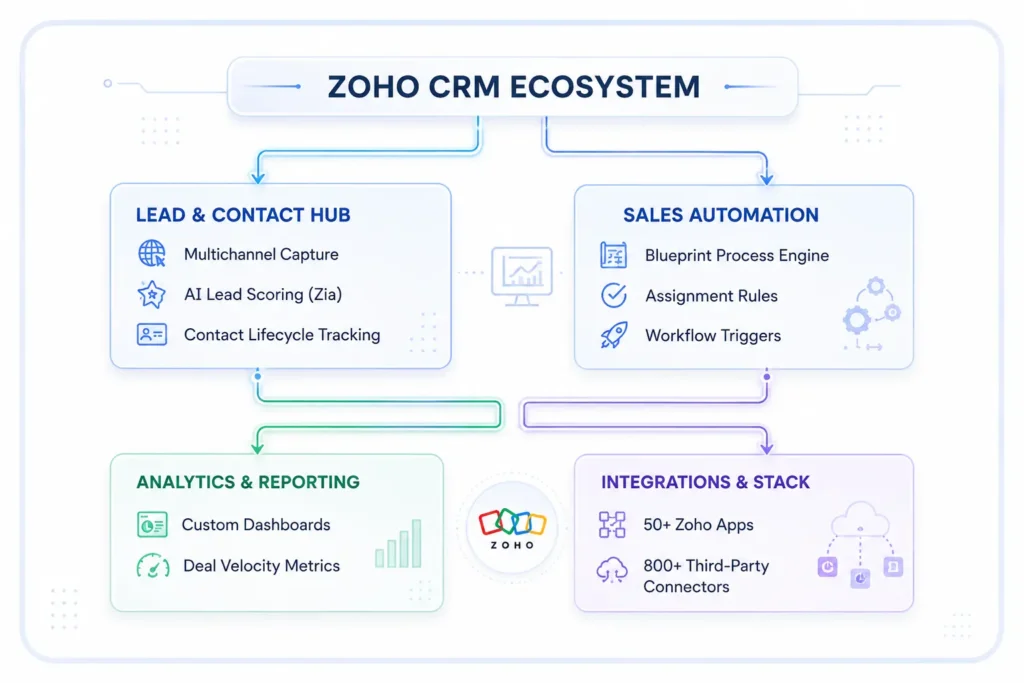
Key Business Benefits of Zoho CRM
- 360-Degree Customer Visibility: Consolidate emails, calls, support tickets, social media interactions, and deal history into a single clean timeline.
- Automated Sales Operations: Eliminate manual data entry and routine follow-ups using triggered actions, webhooks, and auto-assignment rules.
- Hyper-Personalized AI Insights: Powered by Zia (Zoho’s native AI assistant), get predictive win probabilities, best times to contact leads, and sentiment analysis.
- Unmatched Cost Efficiency: Delivers enterprise-grade capabilities at a fraction of the cost of legacy platforms like Salesforce or HubSpot Premium.
Key Features & Capabilities of Zoho CRM
Zoho CRM is packed with features designed to optimize every stage of your sales funnel.
1. Multichannel Lead & Contact Management
Reach prospects wherever they are. Zoho CRM unifies communication across:
- Email: Native bi-directional sync with Gmail, Outlook, and Zoho Mail.
- Telephony (CTI): Connect over 100+ phone providers (Twilio, RingCentral, Vonage) for one-click calling and automatic call logging.
- Social Media: Direct integrations with LinkedIn, X (Twitter), and Facebook to capture leads directly from social channels.
- Live Chat & Webforms: Convert website visitors into scored CRM leads automatically via Zoho SalesIQ or custom webhooks.
2. Workflow Automation & Process Management (Blueprints)
- Workflow Rules: Trigger automated emails, update fields, create tasks, or execute custom Deluge scripts whenever a deal hits a specific stage.
- Blueprints: Enforce exact business processes across your sales team. Blueprints dictate the precise sequence of steps a sales representative must take before moving a deal from Qualification to Proposal or Closed-Won.
3. Predictive Sales Intelligence (Zia AI)
- Anomaly Detection: Highlights sudden drops or spikes in sales performance or lead velocity.
- Contact Time Optimisation: Analyzes past responses to tell sales representatives the exact hour to call or email a prospect, maximizing response rates.
- Churn & Win Prediction: Evaluates historic sales patterns to flag deals at risk of stalling.
Also Read Our Tool Comparison: Zoho vs HubSpot
Step-by-Step Guide: Logging In & Configuring Your Zoho CRM Instance
Setting up your Zoho CRM environment correctly from Day 1 ensures team adoption and clean data architecture.
Step 1: Initial Account Creation & Login
- Navigate to the official Zoho CRM registration portal or access it through our dedicated link below.
- Sign up using your business email address or single sign-on (SSO) via Google, Microsoft, or LinkedIn.
- Complete two-factor authentication (2FA) in the Zoho Accounts Portal to secure your company workspace.
Step 2: Organization Profile & Regional Configuration
Go to Setup (Gear Icon) ➔ Organization Details:
- Set your legal Business Name, Base Currency, and Timezone.
- Configure multi-currency settings if you sell internationally (Zoho CRM converts deal values automatically using daily exchange rates).
Step 3: Domain Authentication & Email Setup
Go to Setup ➔ Channels ➔ Email:
- Authenticate your sending domain using DKIM, SPF, and DMARC records. This ensures high deliverability so your sales outreach avoids spam folders.
- Enable Email Opt-In Management to remain compliant with GDPR, CAN-SPAM, and CCPA guidelines.
Data Migration to Zoho CRM: Importing Without Data Loss
Transitioning from spreadsheets or another CRM (like HubSpot, Salesforce, or Pipedrive) requires structured data hygiene.
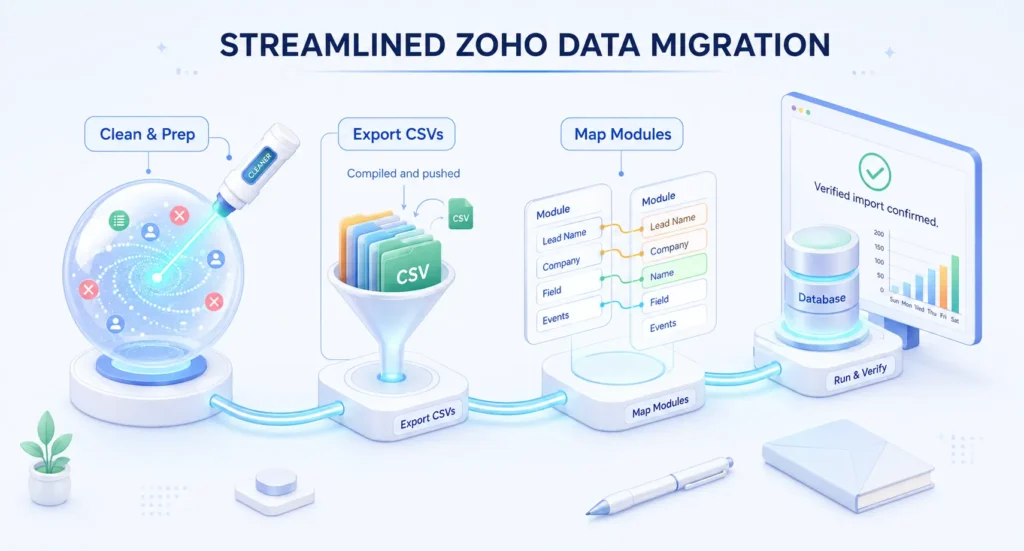
The 4-Phase Data Migration Protocol
- Pre-Migration Data Hygiene- Audit your source files. Deduplicate records, correct invalid email formats, and standardize custom picklist values.
- Export Standard Format Files- Export data into clean .CSV or .XLSX files, creating separate files for Accounts, Contacts, Leads, and Deals.
- Execute Zoho Migration Wizard-
a) Navigate to Setup ➔ Data Administration ➔ Import.
b) Select your source system or upload custom files.
c) Map standard fields (First Name, Email, Deal Value) and auto-create custom fields for unmapped properties. - Post-Import Verification & Linkage Audit- Verify parent-child relationships (e.g., ensure Contacts are properly linked to their parent Account and associated Deals). Check the migration audit log for skipped rows or formatting errors.
Also Read: Social Media Management for Startups
Customizing Zoho CRM to Fit Your Sales Process
No two sales pipelines are identical. Zoho CRM offers deep layout customization so your sales interface matches your actual operations.
1. Customizing Modules & Fields
- Go to Setup ➔ Customization ➔ Modules and Fields.
- Add custom field types including Picklists, Multi-select dropdowns, Formula fields, Currency fields, and Lookup fields.
- Use Layout Rules to dynamically show or hide fields based on user input (e.g., reveal a “Reason for Loss” field only when a deal stage changes to Closed-Lost).
2. Building Custom Sales Pipelines
- Navigate to Setup ➔ Pipeline.
- Create multiple sales pipelines tailored to distinct business models (e.g., Inbound SaaS Sales, Outbound Enterprise Sales, or Partner Channel Management).
- Define custom deal stages and assign realistic stage probability percentages to generate accurate forecast reports.
Analytics, Metrics & Visualizing Performance
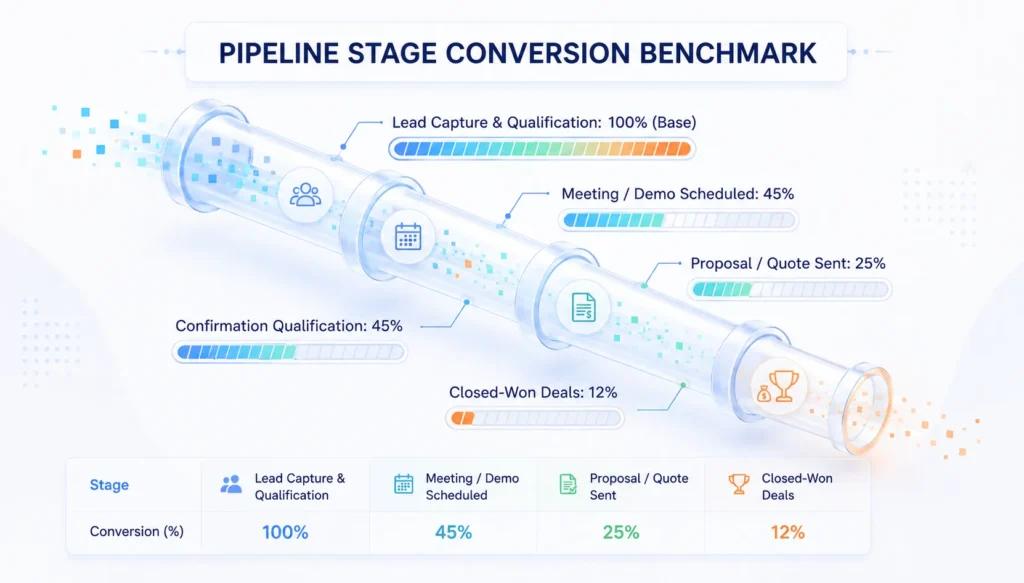
Visualizing your sales data keeps leadership and sales managers aligned on real growth metrics. Below is an overview of standard revenue distribution and conversion benchmarks across sales pipelines managed within Zoho CRM.
Also Read Our Success Story: How a Growing Business Boosted Brand Visibility
1. Typical Sales Pipeline Conversion Distribution
2. Impact Metrics Post-Zoho CRM Implementation
Metric Highlight | Before CRM Implementation | After Zoho CRM Optimization | Average Improvement |
Lead Follow-Up Time | 12 – 24 Hours | < 15 Minutes (Automated) | 90% Faster |
Sales Cycle Duration | 45 Days | 31 Days | 31% Reduction |
Data Entry Time / Rep | 8 Hours / Week | 1.5 Hours / Week | 81% Saved |
Pipeline Accuracy | 55% Forecast Error | 91% Forecast Precision | 36% Increase |
Zoho CRM Pricing Plans Overview
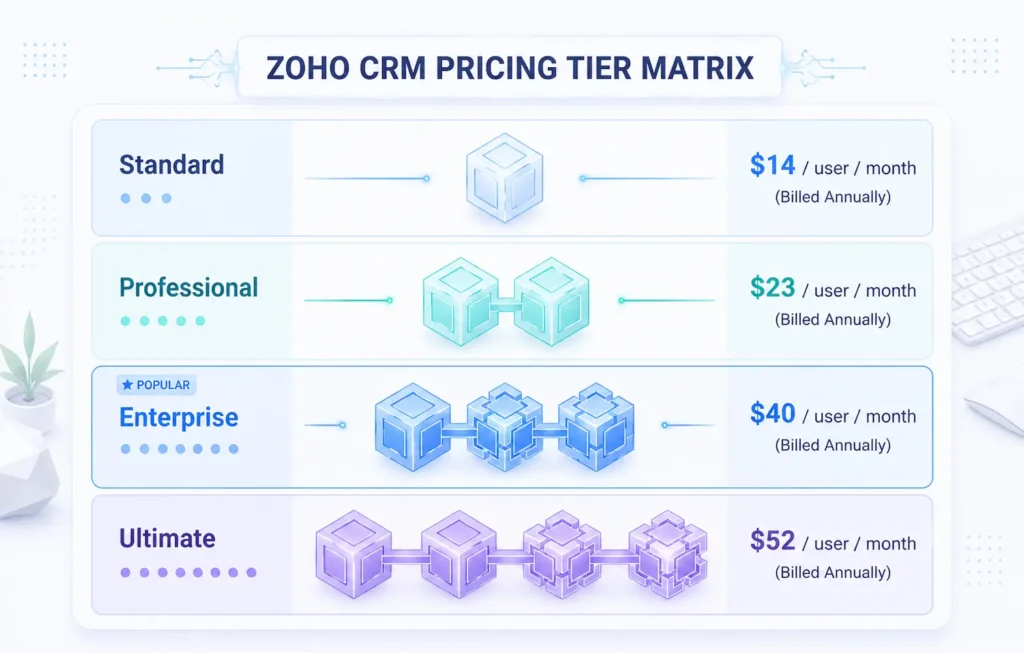
Zoho CRM offers transparent, tiered pricing billed annually or monthly, making it suitable for businesses of all sizes.
Detailed Breakdown of Tiers
- Free Tier ($0): Up to 3 users. Basic contact management, lead forms, and simple task management—ideal for micro-businesses.
- Standard ($14/user/month): Includes scoring rules, automated workflows, custom dashboards, and multiple pipelines.
- Professional ($23/user/month): Adds SalesSignals (real-time user alerts), Inventory Management, Process Management (Blueprints), and validation rules.
- Enterprise ($40/user/month – Recommended): Unlocks Zia AI assistant, Multi-user portals, Advanced Deluge custom scripting, and Command Center for complex customer journeys.
- Ultimate ($52/user/month): Designed for high-volume enterprises, adding advanced BI capability with Zoho Analytics integration, dedicated database clusters, and enhanced storage limits.
Transform Your Sales Process with Zoho CRM Today
Ready to eliminate manual data entry, streamline sales pipelines, and scale your business revenue with confidence? Zoho CRM gives you the enterprise tools you need without the bloated enterprise price tag.
Frequently Asked Questions
1. Is Zoho CRM beginner-friendly for teams with no prior CRM experience?
Yes. Zoho CRM provides an intuitive user interface with pre-built module templates. Users can start with the basic Lead and Contact views and gradually introduce advanced workflow automation as their comfort level grows.
2. Can I integrate Zoho CRM with third-party apps like Google Workspace or Slack?
Absolutely. Zoho CRM features native, one-click integrations with Google Workspace, Microsoft 365, Slack, Zapier, Mailchimp, QuickBooks, and over 800+ other business utilities via the Zoho Marketplace.
3. How secure is my data on Zoho CRM?
Zoho adheres to strict security and compliance standards including GDPR, HIPAA, SOC 2 Type II, and ISO 27001. All customer data is encrypted both at rest (AES-256) and in transit (TLS 1.2/1.3).
4. What is the difference between Zoho CRM and Zoho One?
Zoho CRM is a dedicated software application focused strictly on sales, marketing, and relationship management. Zoho One is an all-in-one suite containing over 45+ Zoho applications (including Zoho CRM, Books, Desk, Social, and Projects) for a single bundled subscription price per user.
5. Can I migrate data to Zoho CRM without hiring a developer?
Yes. The built-in Zoho CRM Migration Wizard is designed for self-service migrations. It automatically matches headers from standard CSV files and provides clear error logs if any records require manual adjustment.